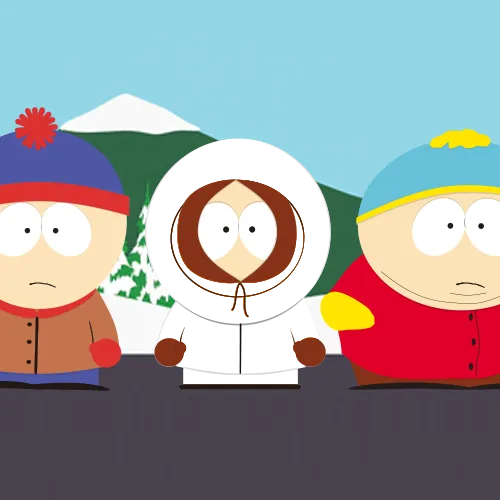
Kenny McCormick parka coat scoring color values
The Toon Tone scoring color for this round shown as HEX, RGB, HSB, and HSL.
- HEX
#ED7100
- RGB
- 237, 113, 0
- HSB
- 29°, 100%, 93%
- HSL
- 29°, 100%, 46%
Nearby oranges for comparison
#ED9200#ED5300#ED811C#ED7300#C96100What the nearby orange swatches reveal
The comparison row is more useful than a generic “orange” label because each swatch changes a different part of the color. The Toon Tone target #ED7100 is HSB(29°, 100%, 93%). #ED9200 shifts hue to about 37° while keeping saturation and brightness the same, producing a yellower orange. #ED5300 moves hue in the other direction to about 21°, producing a redder orange.
#ED811C keeps hue and brightness near the target but lowers saturation to about 88%, so the orange becomes softer. #C96100 keeps hue and saturation close but lowers brightness to about 79%, making the result noticeably darker. These controlled variations let you diagnose whether a miss came from hue, saturation, or brightness instead of just deciding that the guess was “too orange” or “not orange enough.”
Why rounded HSB can hide a real HEX difference
One especially useful comparison is #ED7300. Its RGB value is (237, 115, 0), only two green-channel steps away from the target RGB(237, 113, 0). When HSB values are rounded to whole numbers, both colors display as roughly 29° hue, 100% saturation, and 93% brightness. The HEX values are still different, even though the rounded HSB summary looks identical.
That is a practical reason Toon Tone keeps both HEX/RGB and HSB on the same page. HSB is excellent for understanding the direction of an error; HEX and RGB preserve the exact stored digital target. If two guesses look almost identical after rounding, compare the channel values before assuming the page duplicated a swatch.
A repeatable way to practice this round
Start the next Kenny round by setting only the hue near 29° and leaving yourself room to adjust the other sliders. After the first visual match, tune saturation toward 100%, then brightness toward 93%. On review, compare your result with one nearby swatch at a time: the 37° and 21° examples test hue, the 88% example tests saturation, and the 79% example tests brightness. This one-variable-at-a-time method turns the page into a reproducible color-memory exercise rather than a list of values to memorize.
The result remains a Toon Tone scoring reference for the named parka-coat round, not a claim that every South Park frame, release, screenshot, or licensed asset uses exactly #ED7100.
If you are comparing this page with a screenshot, remember that capture settings, compression, display profiles, scene lighting, and video grading can all change sampled RGB values. For a fair Toon Tone practice session, use the stored game target on this page as the checkpoint and treat screenshots only as visual memory cues, not as competing “official” measurements.
Target color for this character round
After you play the Kenny McCormick parka coat round, compare your guess with the Toon Tone scoring color: #ED7100. In this project it maps to RGB(237, 113, 0) and HSB(29°, 100%, 93%).
What to notice
The target sits in the orange range, with very saturated color and very bright brightness. Focus on the parka coat from South Park (1997), then replay without keeping the values visible.
Common misses
Most misses happen when the hue lands in the right family but saturation or brightness drifts. If your guess feels washed out, raise saturation; if it looks too heavy or too pale, adjust brightness before changing hue.
Memory cues
Remember Kenny McCormick by anchoring the parka coat to #ED7100: hue 29°, saturation 100%, brightness 93%. Treat it as the Toon Tone scoring color for this round, not a universal production standard.
Practice this color from memory
Use the values as a post-round checkpoint, then return to the game and try again without the answer visible.
- Start with hue 29° in the orange range.
- Set saturation near 100% so the color does not become too gray or too intense.
- Set brightness near 93% before fine-tuning the hue.
- Compare nearby swatches only after your first guess, so the round still tests memory.