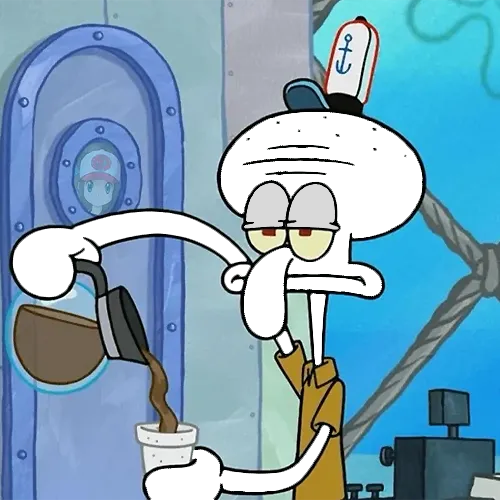
Squidward skin reference values
The Toon Tone scoring color for this round shown as HEX, RGB, HSB, and HSL.
- HEX
#B4D8CA
- RGB
- 180, 216, 202
- HSB
- 157°, 17%, 85%
- HSL
- 157°, 32%, 78%
Nearby green-grays for comparison
#B4D9D0#B4D9C6#CED9D5#9AD9C1#96B5A9What color is Squidward?
For the Toon Tone skin round, Squidward's scoring reference is #B4D8CA: RGB(180, 216, 202), HSB(157°, 17%, 85%), and HSL(157°, 32%, 78%). Visually, that sits in a pale seafoam or green-gray range rather than a strongly saturated blue or green.
This answer is deliberately scoped to the Toon Tone game target. Squidward's appearance can shift across scenes, lighting, screenshots, compression, releases, and displays, so #B4D8CA is not presented as an official Nickelodeon or SpongeBob production specification.
Why can Squidward look blue, green, gray, or teal?
Low-saturation colors are easy to describe differently because surrounding colors and brightness change how the eye reads them. Toon Tone's target has only 17% saturation, so small shifts in hue, display calibration, or scene lighting can make it feel more blue-gray, seafoam, muted teal, or green-gray. The nearby swatches above are useful for seeing how little a numeric change can alter the label people would give the color.
How to remember the Squidward skin color
Start with the color family around hue 157°, then keep saturation low and brightness high. If your guess looks like a vivid turquoise, reduce saturation before changing hue. If it turns too gray, add a little saturation while keeping the pale value. Review #B4D8CA after the first attempt, then replay without the code visible.
What the nearby Squidward swatches actually change
The comparison row above is a small Toon Tone color experiment, not five arbitrary look-alikes. Starting from #B4D8CA at HSB(157°, 17%, 85%), #B4D9D0 moves hue to about 165° while keeping saturation and brightness nearly unchanged; #B4D9C6 moves hue the other way to about 149°. That isolates the effect of a small hue shift.
The next swatches isolate other dimensions. #CED9D5 keeps brightness near 85% but drops saturation to about 5%, making the target much grayer. #9AD9C1 raises saturation to about 29%, making the seafoam character stronger. #96B5A9 keeps hue and saturation close to the target but lowers brightness to about 71%, producing a visibly darker version. Comparing these one-variable changes is a more useful memory exercise than memorizing the HEX code alone.
Squidward skin color vs. shirt color
This page answers the skin target only. Searchers also ask about Squidward's shirt color, but that is a separate clothing target and is not part of the current Toon Tone Squidward skin round. Keeping those intents separate avoids presenting one swatch as the answer to two different parts of the character.
Practice this color from memory
Use the values as a post-round checkpoint, then return to the game and try again without the answer visible.
- Start with hue 157° in the teal range.
- Set saturation near 17% so the color does not become too gray or too intense.
- Set brightness near 85% before fine-tuning the hue.
- Compare nearby swatches only after your first guess, so the round still tests memory.